The humble Game Boy Color is an 8-bit handheld console that was an upgrade to the DMG Game Boy and Game Boy Pocket. It was only slightly bigger than the Game Boy Pocket. Yet it ran on only two AA batteries, and with an original screen could boast impressive battery life. Back in the late 90’s the fact that the screen didn’t have a front light or a backlight was a minor annoyance. The screen still boasted hundreds of colors and was a much better screen than the green screen of the original or the monochrome of the Game Boy Pocket. Furthermore, the Game Boy Color was more powerful than its predecessors. Only some games were exclusive to it; more releases were playable on both the original, pocket, and color. What the Game Boy Color was practically most used for was the phenomenon of the Pokémon games when they hit the West around 1997/1998. It was the system that most kids had to experience the hyped, popular, and addictive games of Pokémon Red/Blue.
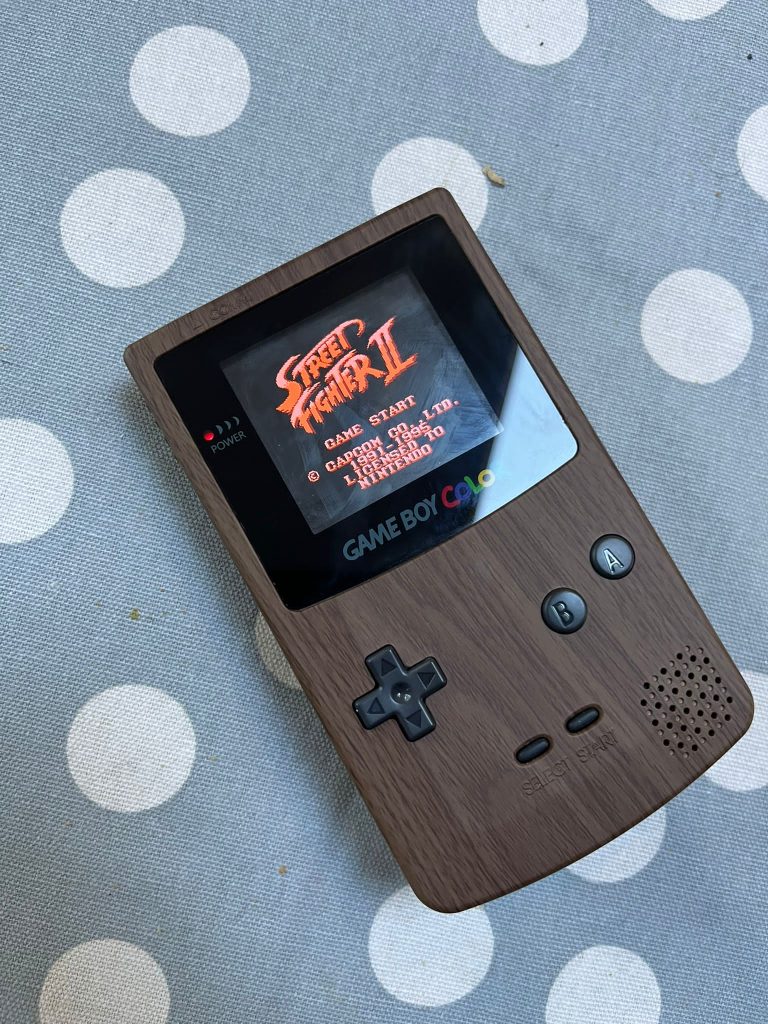
Nowadays, there’s a thriving community of people who mod old Game Boy Colors. People add backlit screens, add sound boosters, or add USB-C battery packs. There is also a growing software homebrew scene to complement the thriving physical modding. This means that new games are still being made for the Game Boy and Game Boy Color. Extremerate is one of many companies that are producing parts and accessories for this growing modding scene. I have purchased the wood grain shell for the Game Boy Color. Read on for a review of the GBC shell.
Installation
My donor Game Boy Color arrived one morning when it was posted on my family’s porch. I opened it and found a clean, and well-presented Teal Game Boy Color. It was so well presented that I feel it had been refurbished and re-shelled. However, it still had a stock GBC screen and I had a FunnyPlaying non-laminated IPS screen as well as an ExtremeRate Wood Grain Shell that I wanted to install. I was first going to use a purple back shell and purple buttons with a wood grain front. That was because I had a USB-C battery pack that could have been installed.
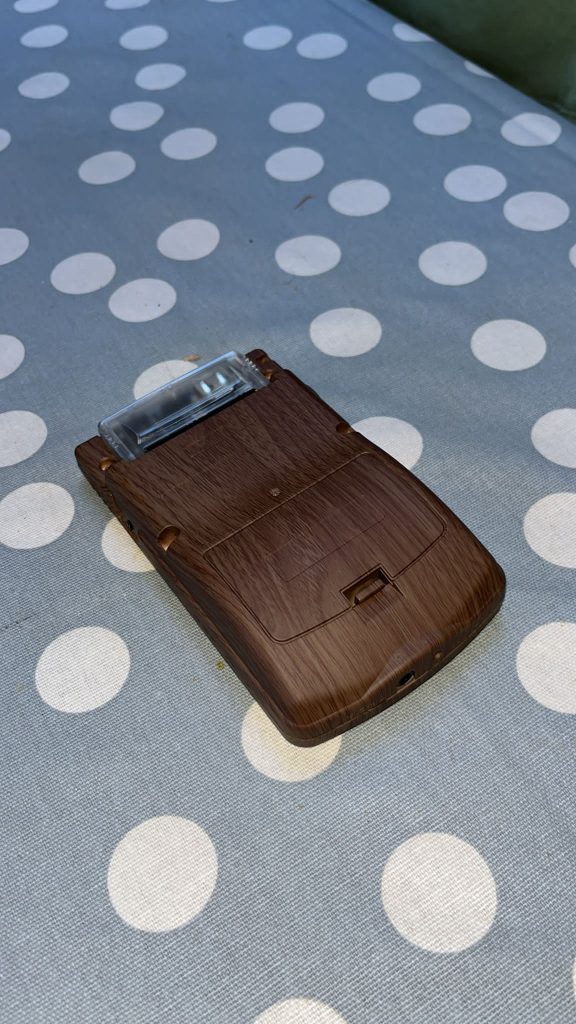
However, I couldn’t find a battery cover with the required USB-C hole. For that reason, my plans changed and I decided to simply add the IPS screen and use the complete Wood Grain shell. The Wood Grain shell had a barrier between where the two AA batteries would sit, meaning the battery mod I have would not fit without me cutting and destroying the back part of the Wood Grain shell.
So, I would use the complete ExtremeRate Wood Grain shell with the Funny Playing non-laminated IPS screen. I unscrewed the donor Game Boy. I then unpinned the screen and removed the PCB and set it aside. I then placed brown/black buttons in the Wood Grain shell and attached the rubber pads. Then I attached the IPS screen to the donor PCB. I placed it into the front part of the Wood Grain shell. I had some trouble aligning it so it would look good from the player’s perspective. Eventually, I aligned it almost perfectly. The first time that I loosely screwed the device together, added batteries, and turned it on, there was sound but the IPS screen would not turn on. I thought there must be an issue with the screen and was worried. However, I removed and reconnected a ribbon cable that linked the screen to the IPS board. Miraculously, this action solved the issue, and the screen booted brightly. With hardware modding, it feels great when you solve a problem. That was it. I had constructed the Wood Grain Game Boy Color and installed the IPS non-laminated screen.
Performance
Once the console was assembled, I got into the process of testing the system. The shell is nice and has an almost rubber feel. You definitely won’t be getting any splinters from playing despite the Wood Grain look. I happen to have a cartridge of Super Mario Land 2: Six Golden Coins DX. It’s a ROM hack that adds color to the classic Game Boy game. You also have the option of playing as Luigi in the game. The homebrew scene is thriving, and there are loads of upgrades to old Game Boy games available if you check the internet.
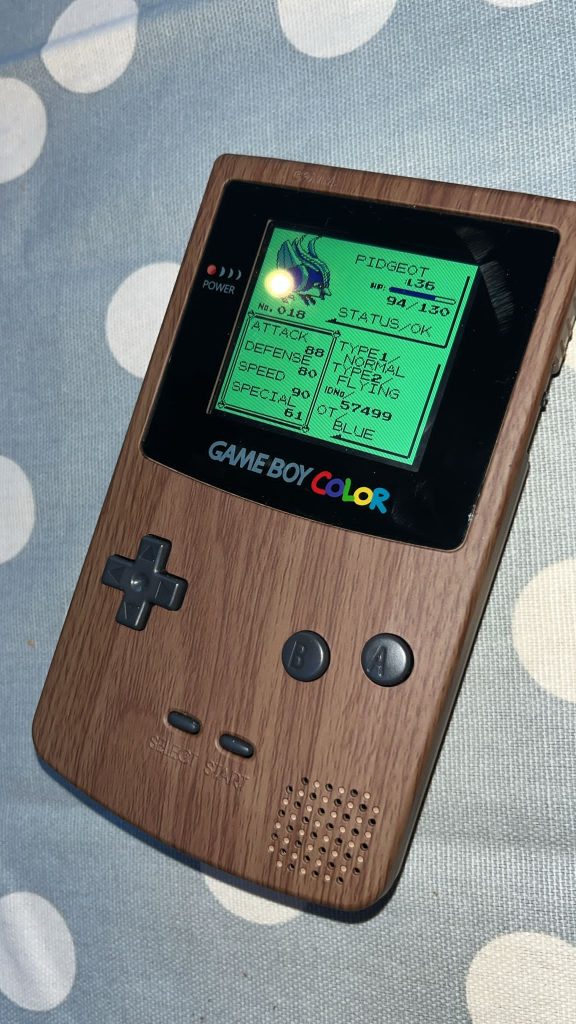
The buttons I installed are responsive and have a nice ‘bounce’ to them. The feel of the shell is very comfortable. After playing some Super Mario Land, I inserted my Everdrive and played some Zelda: Oracle of Ages (which I recently beat for the first time), and then a Pokémon ROM hack named Pokémon Pure Blue. This particular ROM hack mixes up the moves and Pokémon available. It makes playing through the classic that is Pokémon Red/Blue a fresh experience. Overall, the unit that I’ve made is up there with the Analogue Pocket and Mod Retro Chromatic as the best way to play Game Boy and Game Boy Color games.
Conclusion
The console that I’ve created uses a FunnyPlaying non-laminated IPS screen (which are now not common), an ExtremeRate Wood Grain shell, and a donor stock PCB. The unit works perfectly and I have no problems with it. However, I wasn’t able to install my USB-C battery pack, because there is a barrier in the shell between the batteries, which means it won’t fit. I won’t ruin the presentation of the system by cutting into it. The screen is bright and has a variety of filters and brightness levels. I’m using the system mainly in combination with an Everdrive GB X7. The games I play include many ROM hacks that improve on the original games, I am also playing a few fan translations of originally Japanese games. Star Ocean is one such game, and it is a really unique and attractive experience. Overall, I feel I have made a system that is up there in terms of quality and playability with the Analogue Pocket and ModRetro Chromatic.

BongoBongo123 is an avid Zelda fan who also likes the odd game of Smash. His interests in gaming are broad but he loves a good Metroidvania or action RPGs.