The early Game Boy Systems used disposable batteries, which can be seen as both convenient and irritating. They are convenient in that you can replace batteries anywhere, rather than need a port to charge the system. They are irritating in that if you haven’t got batteries, you can’t power the system. While disposable batteries have become more efficient, their use has declined, and almost all devices have now migrated to cable charging. The Game Boy series of systems used disposable batteries up to the Game Boy Advance which was released in 2001. With the modding and retro gaming scene increasing in popularity, there have been calls for a modern charging solution for the old Game Boy systems. To be fair to Nintendo, batteries last a relatively long time in a Game Boy system before you need to replace them. However, with modern IPS screens, the Game Boy uses a lot more power, so the batteries don’t last as long as in original, unmodded systems. Retrosix, Funny Playing, and HISPEEDIDO, three of the most established companies in the Game Boy modding scene, have provided USB-C charging solutions for the Game Boy systems. Here, we provide a review of HISPEEDIDO’s USB-C charging mod for Game Boy Color.
Installation and Early Impressions
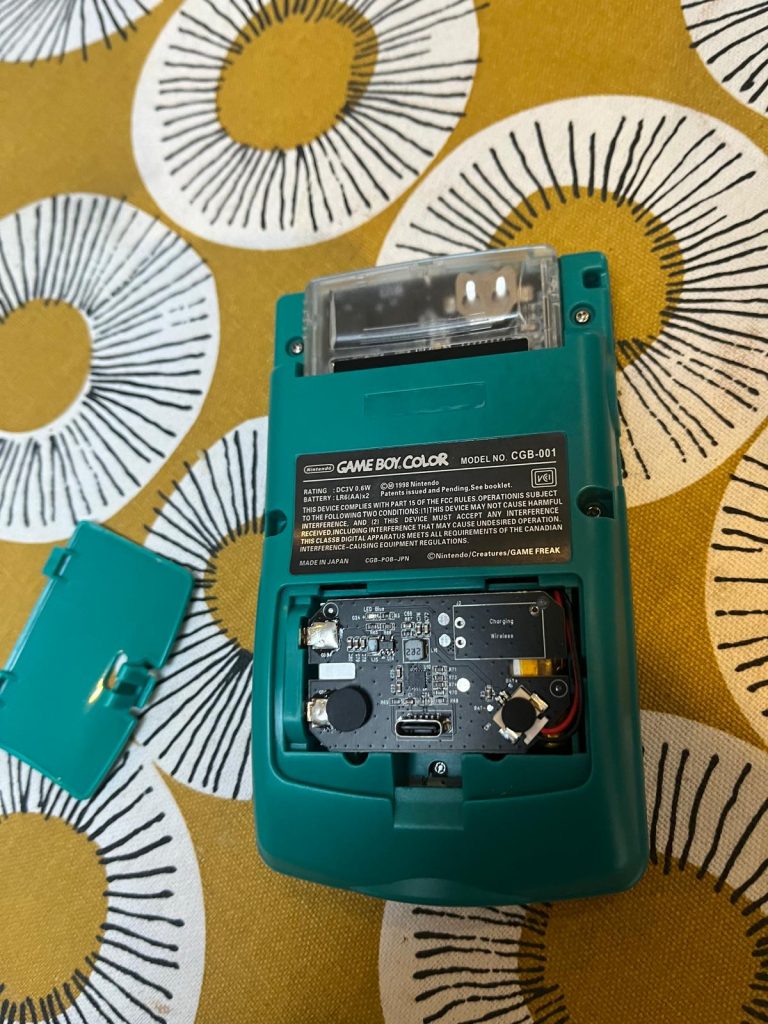
Retrosix’s wireless charging mod comes to mind when thinking of Game Boy battery mods due to how novel and interesting it is. Those kinds of mods for Game Boy’s are appealing and as far as I know, Retrosix is the only company to produce a wireless charger for the Game Boy. However, here we are dealing with a no-frills, USB-C mod. One of the good things about this particular mod is that no soldering is required. A shell that is designed to accommodate a USB-C battery mod is recommended. Otherwise, you’ll have to trim the battery compartment of the shell yourself.
The HISPEEDIDO mod already has the USB-C port integrated into the mod. This is different from the RetroSix USB-C mod (non-wireless) for Game Boy Color (which requires the port to be soldered to the Game Boy Color’s board). So, in terms of ease of use and practicality, the HISPEEDIDO mode scores highly (just make sure you have a suitable Game Boy Color shell). It’s a tight squeeze putting the battery and battery board into the battery compartment but I’ve so far had no real problems as you rarely have to open the compartment.
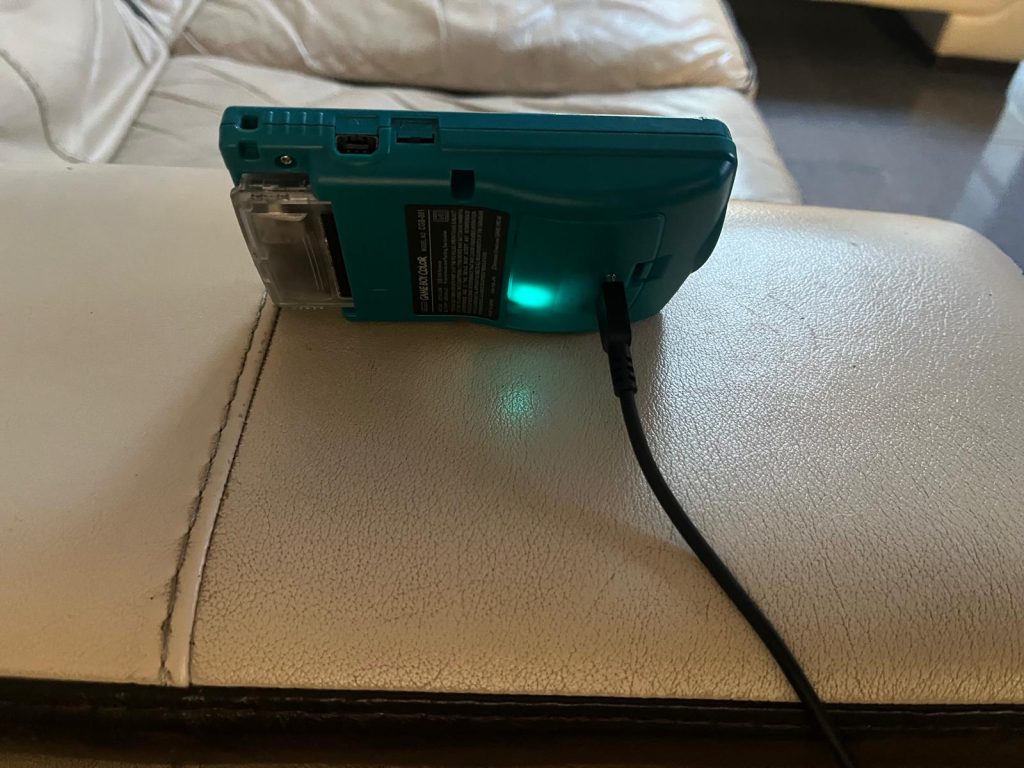
Initially, with testing this mod, I’m using an original Game Boy Color screen and an EZ Flash Junior flash cart. I intend to install an IPS screen in the coming days once I’ve fully tested the battery mod with an original screen. In terms of the flash cart, the EZ junior is a top-quality flash cart, but these carts drain a lot of power, so I expect the cart to reduce the time between charges. I’ll use reproduction carts and original carts sporadically with the system. The setup of the mod was quick and easy. All that was needed was a Game Boy Color motherboard to be inserted into the new, adapted shell. I’ve also inserted an original screen into the setup. When charging, a nice blue light appears beneath the shell cover. It’s nice to have a charging indicator since I’ve come across Game Boy battery mods that don’t have one.
Performance, Problems and Issues
The first issue I found, which is more of a logistical issue than an issue with the battery mod, was that the shell that is designed for the battery mod (with the battery compartment modified) also is designed for a laminated IPS screen kit. The original screen will not fit in the shell. Because of this, I’m using a front shell half from an old official shell that I had lying around.
Once the setup was complete I began playing through games. On the flash cart, I have loads of ROMs, both from the Game Boy and Game Boy Color library. I started playing through Zelda: Link’s Awakening DX. I was in the third dungeon. Fun, as it was, I was enjoying the game without a worry entering my mind. I expect the battery on the mod to last at least eight hours, probably more since I was using an original screen. I saved once with no problem. However, I’ve noticed that the console sometimes turns itself off. This happens rarely and I think it may have something to do with the power tabs on the battery. I think they sometimes are knocked out of alignment. Either that or there’s a problem with the PCB. The donor console that I’m using was a broken one that I fixed, so that is likely.
In Zelda: Link’s Awakening, to save, the player has to hold the A and B, and Start and Select buttons at the same time. This rather awkward way to save led to my first real issue with my setup. Whether due to the battery kit, flash cart, or a problem with the power switch, I’m not sure, but the second time that I tried to save by holding the four buttons, the system rebooted itself and I lost my progress. In my opinion, this issue is unlikely to be due to the battery mod. Incidentally, while the blue light appears beneath the battery cover during charging, during play power is monitored conventionally using the red light power indicator to the left of the screen.
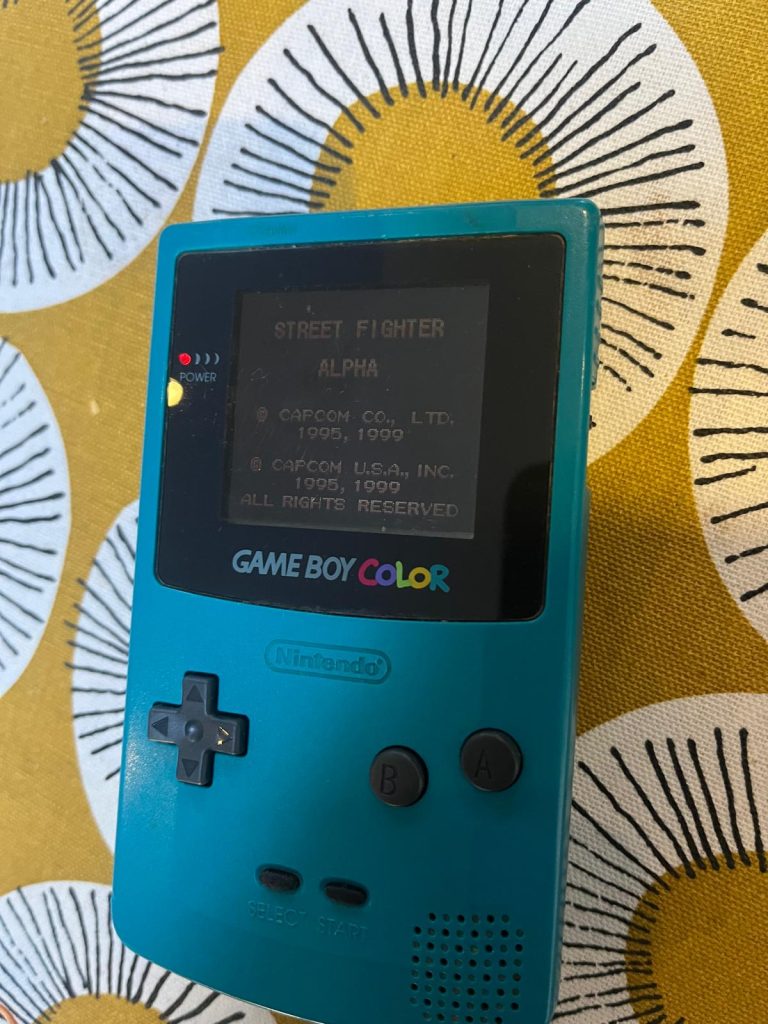
After playing on and off for a full 10 hours of daytime, I hadn’t noticed much of a dimming of the red power indicator light. With an original Game Boy Color screen this is to be expected. The real test will be with the IPS display. Even after three days of on-and-off play, lasting over fifteen hours, the red power indicator is almost identically as bright as it was directly after the device’s first full charge. Overall, even after around 30 hours of play, the red light indicator is still bright.
Performance when using an IPS Screen
The HISPEEDIDO USB-C battery mod for Game Boy Color supercharges the Game Boy when using original, authentic non-backlit screens. The Game Boy can run for days in this form. When I got to the stage where I was ready to implement and install an IPS screen, I’d become comfortable in using this particular handheld and not worrying about the battery. However, I knew I was experiencing a lower quality experience because of the fact that I could hardly see the screen for half the time. The sacrifice that has to be made is whether to trade worrying about a screen you can hardly see, for worrying about a short battery life. If I had the choice, I would go for worrying about the short battery life. That is, as long as the battery life is not too short. I’d say that the play time that’s worth it is if the IPS screen can be powered for 4 or 5 hours.
My results from using the IPS screen with the HISPEEDIDO USB-C battery mod showed that the red power indicator light was slightly less bright compared to with an original screen. Although, this was before charging. Similarly to with the original screen, it could be a pain to get the connection points of the battery PCB to align with the points of the Game Boy PCB. This sometimes resulted in the system turning itself off. However, once they’re in a good position you don’t need to mess with it anymore so its not a big problem.
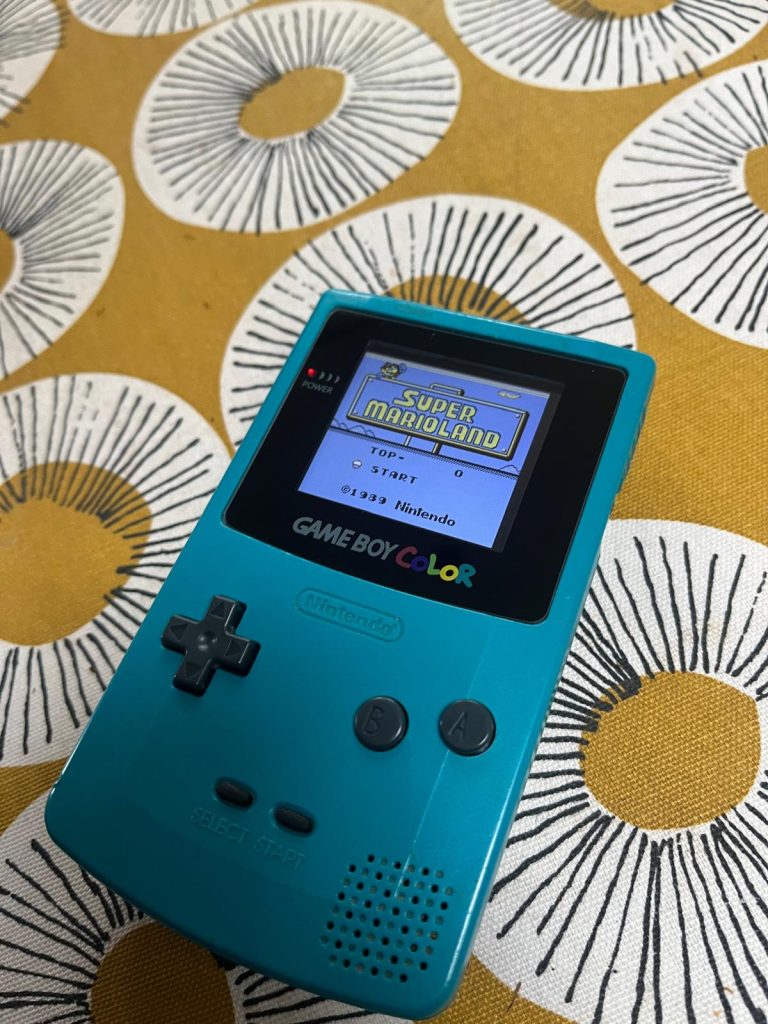
The HISPEEDIDO USB-C battery mod easily outlasts regular batteries when used in conjunction with an IPS screen. After nine hours, the Game Boy Color still showed a bright power indicator. I’m using a HISPEEDIDO IPS non-laminated screen, and the use of both the HISPEEDIDO screen and battery pack seems to complement each other well. I’m surprised at how long the battery lasts with the IPS screen.
Conclusion
Overall, the HISPEEDIDO USB-C battery mod for Game Boy Color will extend the battery life of your Game Boy Color. It seems to last for days when using an original screen. IPS screens are known to drain the battery quickly. When this battery mod is used in combination with an IPS screen expect to double the battery life compared to when using normal batteries. I’m really impressed with this battery kit. However, the downside is that it can be difficult to align the connection points of the Battery PCB and the Game Boy springs/ connection points on the PCB. Once you do this, you don’t need to adjust anymore so the problem disappears. The light that appears on the Battery PCB when charging is a nice touch, and overall I think I have made a great build incorporating both the HISPEEDIDO battery pack and screen.

BongoBongo123 is an avid Zelda fan who also likes the odd game of Smash. His interests in gaming are broad but he loves a good Metroidvania or action RPGs.