Playing games on emulators can take various forms. Using original hardware to play retro games via a flash cart is a more authentic way to experience a game than simply booting up an emulator on your PC to play said retro game. The Game Boy has a few hits that are still addictive, and worth playing today. Super Mario Land 1 &2, the Pokemon games, the Zelda games, and Metroid 2 are just some of these classics. The Game Boy homebrew scene is buzzing with activity at the moment. New games are released every couple of months. Infinity, Kudzu, and Wing Warriors are some examples of great homebrew games. The console that you play your games on could be an original Game Boy or a modified one. There are two types of IPS displays available for Game Boy Color (from the perspective used here). Laminated displays have the screen lens built into the screen and this version is the most popular as it is arguably the best looking. Then there are non-laminated displays that use a screen lens similar to the original screen. Here, I review the HISPEEDIDO non-laminated IPS mod for Game Boy Color.
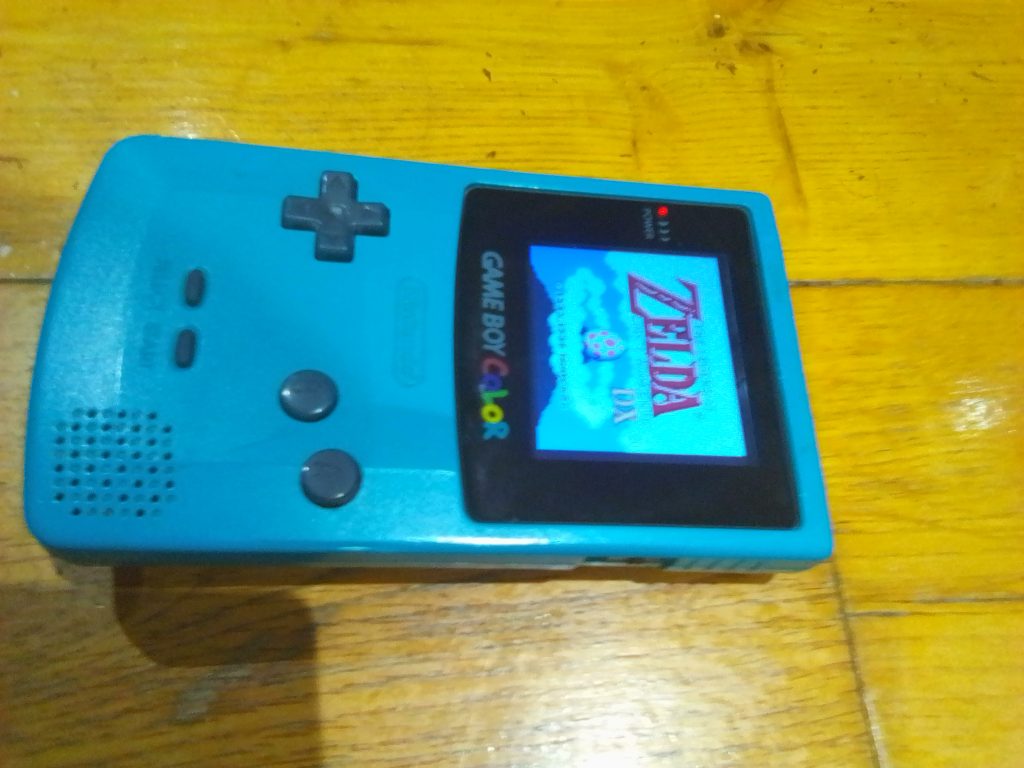
Installation
This is a solder-free IPS kit. That means that there is no need to solder any wires for the kit to work. As far as I’m aware all options are available just by attaching the screen with the ribbon cable and using the touch pads to scroll threw options. If you hold the filter touchpad for five or ten seconds, an option menu will appear from which you can customize settings. Most similar kits require soldering a wire or two for a menu to appear. It was hassle-free for me to install since I was using an original shell and the screen is the same size as an original screen. The kit also came with a screen lens which comes in handy as the original screen lens tends to be pretty badly scratched.
Size and Display
This mod is exactly the same size as the original screen. I’ve seen some similar IPS screens on Aliexpress that are even smaller than the original but here HISPEEDIDO are providing a screen that doesn’t look ridiculously small when installed. While its not as big as some Q5 laminated displays, the fact that it’s the same size as the original means that you can use an original shell. It looks great when you switch it on. Like you’re playing a next-generation Game Boy Color that Nintendo never released. It’s authentic. The Display itself is pristine and bright. There are two touchpads included. One, which adjusts brightness, and another which applies filters to your screen. For example, there’s a black-and-white filter, a blue filter, a purple filter, and more. Most people will play with no filter applied I would think. There are five levels of brightness that you can choose. Usually, I go with a low brightness level to save battery and because I often play in well-lit environments. I’m using the screen mod in conjunction with a HISPEEDIDO battery mod and the battery life of the system is above what it would be with regular batteries. The screen definitely looks at its best on higher brightness levels. You can see every pixel on the screen. It is a beautiful screen.
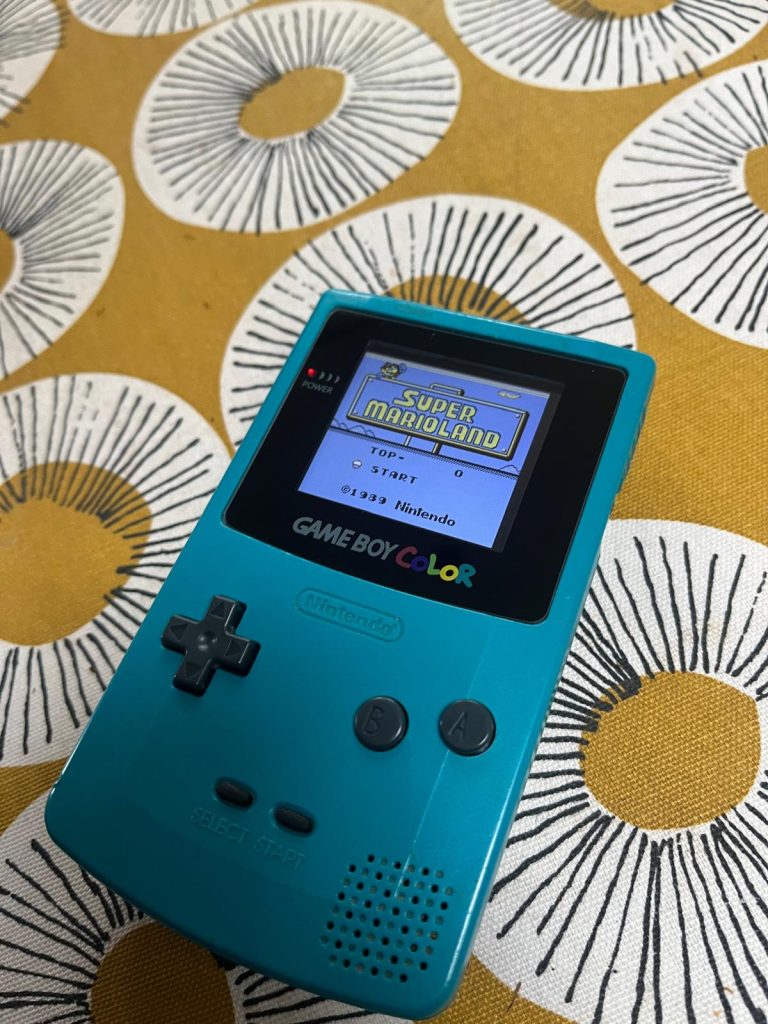
Performance and reliability
The screen itself has performed faultlessly throughout my time with it. The console that I’ve been using has been randomly turning off at times, but I’m pretty sure that is more linked to the battery mod that I’ve installed, or a bad capacitor. The problem isn’t that bad. It happens once every ten times I turn it on. The screen is pixel perfect. I highly doubt the problem is linked to the screen. I’ve been using an Everdrive X7, and I can seamlessly return to a main menu when I’m done with a game. When the game boots back into the menu I haven’t noticed any graphical glitches or problems. Other screen kits may have problems when booting in and out of menus.
Conclusion
Overall, the HISPEEDIDO GBC 2.45 inch non-laminated IPS Screen Kit is a great upgrade that you can make to your Game Boy Color. Great for playing both retro games and modern Game Boy homebrew games the screen is a tiny bit larger than the original screen and will fit into an official Game Boy Color shell. In my experience of using the kit it is amazing to see in motion and the brightness and reliability are excellent. The kit requires no soldering, so it is basically a drop in kit. The touch sensors let you adjust brightness and also apply screen filters. There’s also a menu which can be activated by pressing the sensor for a number of seconds. The kit is a great alternative to laminated versions, especially if you like a more authentic look and feel. I would definitely recommend this kit to any budding Game Boy moders

BongoBongo123 is an avid Zelda fan who also likes the odd game of Smash. His interests in gaming are broad but he loves a good Metroidvania or action RPGs.
[…] Game Boy Color 2.45 Inch HISPEEDIDO IPS Kit (non-laminated) Review […]
[…] I would advise purchasing a battery pack mod for your GBA with IPS kit. However, I think that the HISPEEDIDO IPS kits draw less power than the RetroSix kits, and are roughly around the same as the FunnyPlaying kits. […]